
Sprunki: Funky Remix Beats
SYNTHJOY GAMESMusic
3.540.00 Reviews
- Version
- 1.2.7
- Installs
- 5.00M
- Age Rating
- Teen
Screenshots
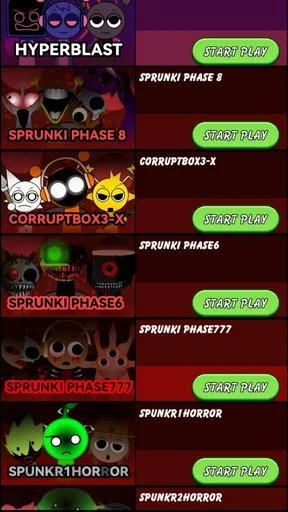
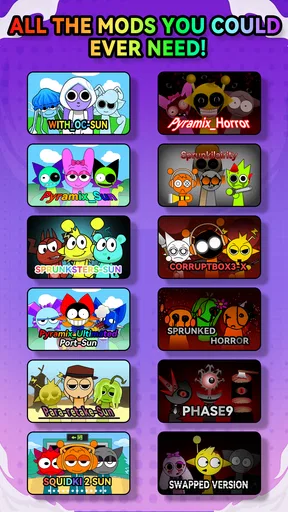
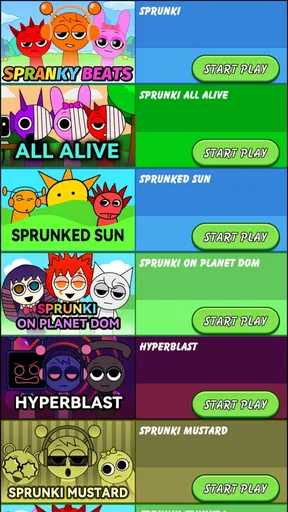
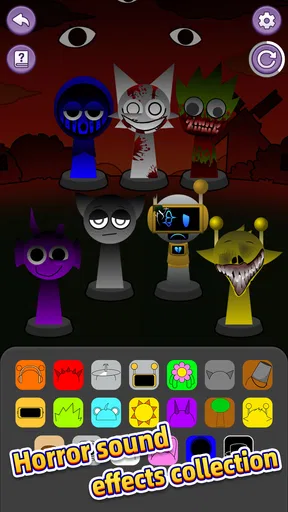

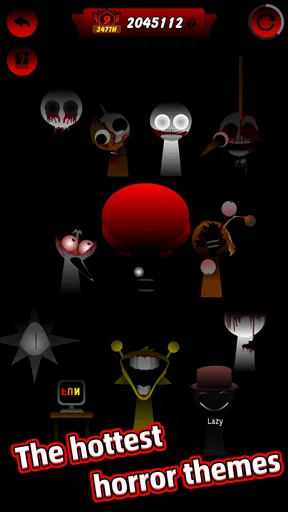
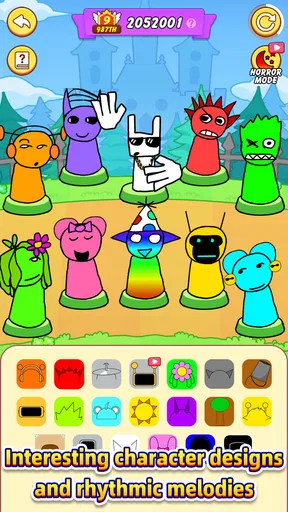
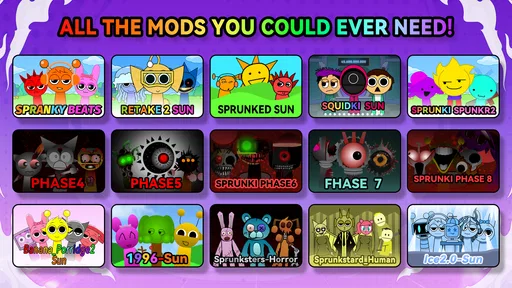
Our Review of Sprunki: Funky Remix Beats
 Analysis by Appyee
I tend to judge a music game by what it lets me do in a spare few minutes, not by how ambitious its pitch sounds. Sprunki: Funky Remix Beats is a free music game from SYNTHJOY GAMES, built around making your own Sprunki songs. That simple creative focus is appealing: I can approach it as a playful way to arrange sounds rather than a serious production tool. It is rated Teen, has passed one million installs, and currently sits at a 3.2 average from around 1,700 ratings, so it has clearly found an audience while also drawing mixed reactions.
What free means when purchases are involved
The game is free to download, with in-app purchases listed at $3.99 per item. That gives me a useful starting point, but it does not tell me what any particular purchase contains or whether it changes the creative experience. I would begin without spending and decide only after seeing how much the basic version suits my taste. For a casual music-making game, that is a sensible way to judge whether an optional purchase would add something I actually want.
I also wouldn’t treat the purchase price as proof of a subscription, a required payment, or a particular unlock system. The confirmed purchase detail is simply that individual items are priced at $3.99. If I were considering buying anything, I’d check the in-game description carefully first, especially if I mainly wanted to make a quick song and share it with friends. The most useful question is not whether a paid item exists, but whether the free experience already gives me enough room to enjoy the central idea.
Getting into the Groove
First things first, downloading Sprunki: Funky Remix Beats was a breeze. Available for both Android and iOS, the app is lightweight and quick to install, which is always a plus when you’re eager to start mixing beats. Once you fire it up, you’re greeted with a sleek, user-friendly interface that doesn’t overwhelm you with too many options right off the bat.
The onboarding process is surprisingly intuitive. I was impressed by the in-app tutorial that guides you through the basic features without feeling like a chore. It’s like having a friend show you around versus reading a dry manual. Before I knew it, I was tweaking tunes like a pro!
A casual creative break, not a production deadline
For me, the strongest everyday use case is a short break when I want to do something more hands-on than passively listening to a playlist. I can imagine opening it while waiting for a friend or unwinding after work, trying combinations until one has a playful rhythm. The benefit is that a small creative task can feel rewarding without demanding the commitment of learning a full digital audio workstation.
That distinction matters if you’re choosing between this and a conventional music-making app. A full production tool is the better fit when you want detailed control over recording, arrangement, mixing, or export. This game’s appeal is instead the accessible, themed act of putting together Sprunki songs. I’d recommend it to someone curious about making musical combinations, but not to a musician who needs a dependable studio workflow or precise control over every production step.
A practical tip is to start with one musical idea and change only one element at a time. If I swap several sounds together, it can be hard to tell which choice made the result more lively or less coherent. Small experiments make the process easier to learn and also help me develop a personal preference, rather than tapping through options without noticing what each one contributes.
Features That’ll Make You Move
This app is packed with features that cater to both beginners and experienced DJs. Here are some highlights:
- Beat Layering: Got a favorite track? Layer it with funky beats from the app’s extensive library. The drag-and-drop functionality makes it super easy.
- Sound Effects: Spice up your mixes with a variety of sound effects. Whether you want to add a touch of reverb or some wild echo effects, it’s all there.
- Live Remixing: Feeling spontaneous? The live remix feature lets you add effects and tweaks in real-time. It’s perfect for those who love performing on the fly.
The app also has a nifty feature where you can save your mixes and share them directly on social media platforms. It’s a seamless way to show off your creativity to friends and followers.
Learning to make a mix feel intentional
Even a playful remix can sound more deliberate if I think about contrast instead of piling on every available sound. I’d try establishing a simple base, then use effects or a new layer to create a noticeable change at a moment that feels right. That approach gives a listener a reason to pay attention and makes it easier to decide when a mix feels finished.
Saving a version before experimenting further is another useful habit wherever the app allows it. A saved mix gives me a point of comparison: I can try a bolder variation without losing the earlier idea I liked. Sharing can also be a low-pressure way to get feedback, but I’d treat reactions as inspiration rather than a measure of musical skill. The goal is to enjoy making something, not to turn every session into a contest.
One trade-off with quick remix games is that ease can come at the cost of depth. If the available sounds and controls are enough for a playful composition, that is a strength; if I want fine-grained editing, a more specialized music app is likely the better choice. I’d use this for experimentation and casual performance, then move to a dedicated tool if a rough idea grows into a project that needs detailed editing.
The Sound of Perfection
When it comes to audio quality, Sprunki doesn’t disappoint. The app supports high-quality sound formats, ensuring your mixes sound crisp and professional. I loved how the bass and treble elements were well-balanced, giving me the confidence to experiment without worrying about distortion.
Another standout aspect is the app’s ability to import your own music. This feature is a game-changer if you have a collection of tracks you’re itching to remix. Just upload them into the app, and you’re ready to go. The possibilities are endless!
Choosing when to play, and when not to
The format seems best suited to people who enjoy music but don’t necessarily want to learn traditional production software. It could also work for a parent and teen looking for a shared creative activity, with the Teen content rating in mind. On the other hand, anyone who prefers a structured rhythm challenge, a conventional DJ deck, or a professional recording workflow may find that a different music app better matches what they want to do.
If I were opening it during a commute or in a quiet waiting room, I’d think about headphones and the surrounding environment before starting a live session. A sound-focused game is more enjoyable when I can hear the mix clearly, and it is considerate not to play effects aloud where they might bother others. For a quick session at home, I’d explore freely; in a public place, I’d keep the volume low and focus on small adjustments rather than treating it like a performance.
The game’s current version is 1.2.2, and it supports Android 7.0 or later. That makes the minimum system requirement straightforward to check before installing on an older device. I’d also keep expectations grounded: a version number and an accessible setup don’t by themselves guarantee that every phone will handle audio exactly the same way. If sound quality is central to your enjoyment, a short trial on your own device is more useful than assuming it will behave like a desktop studio.
Community Vibes
What’s music without a community, right? Sprunki features a vibrant user community where you can share your creations, get feedback, and even collaborate with other users. It’s like a virtual jam session, and I found it incredibly inspiring to see what others were creating.
There’s also a leaderboard feature that adds a bit of friendly competition as users can vote on their favorite mixes. It’s a fun way to engage with others and maybe even pick up some new tricks along the way.
How I’d judge the social side
Community features can make a creative game feel less solitary, but I’d use them with the right expectations. A leaderboard can be motivating when I want to see what catches other players’ attention; it is less useful if I’m looking for careful, technical feedback. Votes reflect what people enjoy in that setting, not necessarily how well a track is arranged or how much effort went into it.
For a first share, I’d choose a mix that feels complete enough to represent the idea, rather than posting every experiment. That gives friends or other players something clearer to respond to. If collaboration is the main reason you’re considering the game, I’d first check how the community interactions work in practice and whether they suit your comfort level. The social layer may enrich the creative loop, but the core reason to try it should still be that making the music is enjoyable on its own.
Progress without turning play into pressure
Because this is a music game rather than a conventional skill ladder, I’d measure progress by how much more purposeful my choices become. Early on, I might simply try combinations; later, I may notice that I’m using contrast, timing, and effects with a clearer intention. That kind of improvement is satisfying without requiring a score target or a long practice schedule.
At the same time, competitive elements can change the mood. If sharing and voting encourage me to experiment, they add a welcome reason to return. If I start choosing sounds only to chase approval, the playful point gets lost. I’d set my own goal for a session—make one unusual combination, test one effect, or finish one short idea—then stop when it feels complete. That keeps the activity creative rather than making it feel like homework.
I would also separate personal progress from spending. The fact that there are paid items does not establish that payment is needed to improve, and I would not assume that a purchase guarantees more recognition or better results. I’d first learn what I can do with the free game, then consider an item only if its actual in-game description clearly matches something I want. That is a fairer way to decide than buying because I feel behind or because a leaderboard makes me impatient.
What to check before committing
Some practical questions are worth answering in the game itself before you invest much time. If you want to know exactly what an in-app purchase unlocks, read its description at the point of purchase. If you plan to share mixes, check the available sharing choices and consider what you are comfortable posting. And if importing music is important to your routine, try that workflow with a track you have permission to use rather than assuming every file will fit the same way.
Those checks are not reasons to avoid the game; they are simply good habits for any creative app that combines user-made content, sharing, and optional purchases. They also help clarify whether the experience meets your particular needs. Someone who only wants to experiment with sounds may not care about every sharing detail, while a user planning to publish mixes widely should pay much closer attention to how the finished work can be used.
Reading the mixed reception fairly
A 3.2 average from around 1,700 ratings suggests that players’ experiences are not uniformly enthusiastic. I would take that as a reason to try the free version with a clear idea of what I want from it, rather than treating either glowing praise or complaints as a guarantee of my own experience. The number of written reviews is much smaller—about twenty—so I’d read comments for recurring, specific issues rather than drawing a sweeping conclusion from one person’s frustration.
It has attracted more than one million installs, which indicates broad interest, but popularity alone does not tell me whether its particular mix-making approach will suit me. The more useful test is whether I enjoy experimenting with its sounds and whether its level of control feels satisfying. If I want a casual creative toy, a short trial can answer that quickly; if I need serious audio editing, the mismatch will be apparent even if the game is popular.
Wrapping It Up
So, is Sprunki worth the download? In my book, absolutely! It strikes a perfect balance between being user-friendly for newcomers and feature-rich for seasoned remix artists. The app’s emphasis on community and creativity makes it more than just a tool—it’s a platform for expression.
If you’re looking to add a bit of funk to your music life, give Sprunki: Funky Remix Beats a spin. Trust me, your playlists will thank you. Happy remixing!
Privacy and Permissions
See what permissions an app requests and how it handles your data.
- Device & app history
- read sensitive log data
- Photos/Media/Files
- read the contents of your USB storage, modify or delete the contents of your USB storage
- Storage
- read the contents of your USB storage, modify or delete the contents of your USB storage
- Microphone
- record audio
- Wi-Fi connection information
- view Wi-Fi connections
- Other
- view network connections, pair with Bluetooth devices, full network access, change your audio settings, control vibration, prevent device from sleeping, Google Play license check
Verdict
Strengths of Sprunki: Funky Remix Beats
- Intuitive interface for easy navigation.
- Wide variety of beats and loops.
- High-quality audio output.
- Regular updates with new tracks.
- Offline mode available.
Limitations of Sprunki: Funky Remix Beats
- Limited customization options.
- Some features require in-app purchases.
- Ads can be intrusive at times.
- Occasional bugs in the offline mode.
- High battery usage during extended play.
Other Releases by SYNTHJOY GAMES
View All
Pocket Piano
Music4.6
Similar Picks in This Category
View All
Tiles Hop Music & Ball Game
AMANOTES PTE. LTD.4.3

Magic Tiles 3™ - Piano Game
AMANOTES PTE. LTD.4.6

Real Piano
Bilkon3.7

Piano Game: Classic Music Song
Dream Tiles Piano Game Studio4.0

Smash Colors: Music Ball Rush
BADSNOWBALL HONGKONG LIMITED4.2

Piano Music Go-EDM Piano Games
Joy Journey Music Games4.5
Frequently Asked Questions
What is Sprunki: Funky Remix Beats?
Sprunki: Funky Remix Beats is an innovative music remixing app designed for both amateur and professional DJs. It allows users to create unique remix tracks using a variety of funky beats and sound effects. The app offers a user-friendly interface, making it easy to experiment with different sound combinations.
Is Sprunki: Funky Remix Beats free to use?
The app offers a free version with basic features, allowing users to explore its functionalities. However, for more advanced features and an ad-free experience, there is a premium version available through in-app purchases. This upgrade provides access to exclusive beats and additional editing tools.
What are the key features of Sprunki: Funky Remix Beats?
Sprunki includes a wide range of features such as a library of funky beats, customizable sound effects, and intuitive drag-and-drop functionality for track mixing. The app also offers real-time editing, social sharing options, and integration with popular music platforms for direct uploads and streaming.
Is Sprunki suitable for beginners in music remixing?
Yes, Sprunki is designed to cater to users of all skill levels. Beginners will appreciate the straightforward layout and helpful tutorials, while more experienced users will find advanced tools to enhance their remixing skills. The app's intuitive design ensures a smooth learning curve for new users.
What devices are compatible with Sprunki: Funky Remix Beats?
Sprunki is available for both Android and iOS devices. It requires a minimum operating system version of Android 6.0 or iOS 11.0 to function optimally. The app is optimized for smartphones and tablets, offering a seamless experience across various screen sizes.
Play our best games!


